RADWAG APP Series Uživatelský manuál
Procházejte online nebo si stáhněte Uživatelský manuál pro Kuchyňské váhy RADWAG APP Series. RADWAG APP Series User manual Uživatelská příručka
- Strana / 87
- Tabulka s obsahem
- KNIHY


- BALANCES 1
- APP/2C 1
- 1. TECHNICAL DATA 5
- 2. BASIC INFORMATION 6
- 2.1. Intended use 6
- 2.2. Inappropriate use 6
- 2.3. Warranty 6
- 4.2. Unpacking 8
- Setting 10
- 4.4. Cleaning 10
- 4.5. Plugging to mains 10
- 5. BASIC FUNCTIONS 11
- 6. BALANCE KEYBOARD 13
- 7. START-UP 14
- 8. USER MENU 15
- 9. WEIGHING 18
- 10. BALANCE MAIN PARAMETERS 26
- 10.2. Value release 27
- 10.3. Autozero function 28
- 10.5. Weighing mode RAPID 30
- 11. OTHER PARAMETERS 31
- 12. BALANCE ADJUSTMENT 35
- 12.1. Internal adjustment 35
- 12.3. Adjustment test 41
- 12.4. Manual adjustment 43
- 12.4.1. Internal adjustment 43
- 12.4.2. External adjustment 44
- 14. BALANCE WORKING MODES 49
- • Enter the PrcB mode: 58
- • Using function keys: 58
- 14.5. Totalizing 69
- Return to weighing mode 71
- 14.6. Working mode FILL 72
- 15. RS 232 FUNCTIONS 73
- 15.1. Baud rate 73
- 17. UNDER HOOK WEIGHING 83
- 19. ERROR MESSAGES 85
- 20. ADDITIONAL EQUIPMENT 86
- 20.1. Anti-Vibration table 86
- 20.2. Additional display 86
- Computer software 86
Shrnutí obsahu
User manual no.: LMI-53-05/11/12/A BALANCES APP/2C SERIES MANUFACTURER OF ELECTRONIC WEIGHING INSTRUMENTS RADWAG 26 – 600 Rad
- 10 - • Level the balance by turning its adjustable feet. Then using a wrench (3) tighten up the nut (2) on the adjustable foot (1) to balance’s ba
- 11 - 4.6. Connecting peripheral equipment The balance must be unplugged from the mains before connecting or disconnecting any peripheral equipme
- 12 - Balance APPC series can be used to weigh loads under the weighing platform – i.e. under hook weighing option. Balance software enables printin
- 13 - 6. BALANCE KEYBOARD ON/OFF key enables switching on and off balance’s display. If switched off balance components other than the display
- 14 - 7. START-UP When plugged to mains, the balance displays name and number of software, and afterwards proceeds to weighing mode. Balance tem
- 15 - 8. USER MENU Balance menu is divided into 7 basic function groups. Each group has individual name. 8.1. Moving through user menu An ope
- 16 - Name of function groups and their content: P1 CAL [Adjustment/Calibration] P1.1 iCAL | [internal adjustment] P1.2 ECAL | [ex
- 17 - P5 Unit [Measuring units] P5.1 StUn | g/mg/kg/ct/lb/oz/ozt/dwt/t/mom/G [basic measuring units – e.g. gram] P5.2 mg | YES
- 18 - 8.2. Return to weighing mode CAUTION Changes introduced in balance memory will be saved on return to weighing with procedure of saving chan
- 19 - • mass indication of a load placed on balance’s weighing pan can be tarred for multiple times by pressing ESC/TARE key ((pay attention not t
- 2 - NOVEMBER 2012
- 20 - press key for a few times. The display indicates available measuring units in turns After selecting the basic measuring unit press
- 21 - Go back to weighing mode with procedure of saving changes (see point - 8. 2. – return to weighing). CAUTION: On switching on, the balan
- 22 -
- 23 - 9.3.1. Selection of working modes available for a user Function enables selecting (by pressing MODE key) which working modes are accessible
- 24 - If a mode other than ALL is selected, procedure of returning to weighing mode differs from other ones. If for instance PcS mode is selected,
- 25 - YES - mode enabled; no - mode disabled On selecting, press PRINT key. The balance returns to displaying submenu name. Go
- 26 - The balance returns to weighing with the accuracy of the I weighing range d1=1g and II weighing range pictogram is blanked. 10. BALANCE MAIN
- 27 - 10.2. Value release Due to various ambient conditions at workstations, and in order to set balance to present conditions, it is necessary t
- 28 - 10.3. Autozero function In order to ensure balance’s precise mass indication, autozero (Auto) software parameter has been introduced. The a
- 29 - 10.4. Blanking of the last digit on the display Function enables blanking of the last displayed digit. ALuuAYS - always nEuEr - never u
- 3 - TABLE OF CONTENTS 1. TECHNICAL DATA ... 5 2. BASIC INFORMATION .
- 30 - 10.5. Weighing mode RAPID Weighing mode RAPD is located in menu parameter P3.rEAd and it offers two options: RAPID = NO – balance operates
- 31 - 11. OTHER PARAMETERS Balance APPC series features a set of parameters which enable influencing its functionality. The parameters are contain
- 32 - (see point - 8. 2. – return to weighing). CAUTION: Balance software has implemented option of automatic backlight switch off bl = Aut. In
- 33 - 11.3. “Beep” sound – reaction on pressing function key OFF - signal of pressing function key disabled On - signal of pressing functio
- 34 - 11.4. Printout of all balance parameters through RS 232 port After pressing F key balance parameters are sent to a peripheral device conn
- 35 - 12. BALANCE ADJUSTMENT As the gravitational acceleration force has different value at various latitudes and altitudes, a balance should be a
- 36 - - balance software detects necessity of carry out adjustment and signalizes it by Celsius degree pictogram or by black colour pictogram on ba
- 37 - • adjustment triggered by elapsing time. It is possible to declare time intervals which are a criteria for balance adjustment. Accessible se
- 38 - • P1.2 ECAL – External adjustment (with an external weight) adjustment with external weight, which value is saved in factory menu of bala
- 39 - nonE – none of factors will cause start of adjustment tEmP – adjustment triggered by change of temperature timE – adjustment tri
- 4 - 12.3.1. Balances with internal adjustment system... 41 12.3.2. Balances with external adjustment system ...
- 40 - • P1.5 CALt - Time of automatic adjustment (balances with internal adjustment system) Determination of time interval, after which automati
- 41 - 12.3. Adjustment test 12.3.1. Balances with internal adjustment system Adjustment test is a comparison of internal adjustment weight with
- 42 - 12.3.2. Balances with external adjustment system It is mass comparison of external adjustment weight with its value stored in balance’s memo
- 43 - 12.4. Manual adjustment 12.4.1. Internal adjustment Press Cal key or follow below guidelines The balance performs internal adjustment a
- 44 - 12.4.2. External adjustment External adjustment in balances APPC series should be carried out with an external mass standard / weight class
- 45 - no – report is not printed YES – report is printed . Remember, that if the parameter is set for YES, then a report is generated and sent a
- 46 - 13. DETERMINING CONTENT OF A PRINTOUT FOR GLP PROCEDURE P2 GLP is group of the parameters which enables declaring variables that are prese
- 47 - Accessible characters and their equivalents displayed by a balance: An instance of a user name inserted to a balance using capital letters
- 48 - An instance of project name inserted to a balance using small letters takes below form: prradwag • P2.3 Ptin Option determining presen
- 49 - 14. BALANCE WORKING MODES - Weighing mode - bASic - Parts counting - PcS - Checkweighing - HiLo - Percent setup with reference mass – Pr
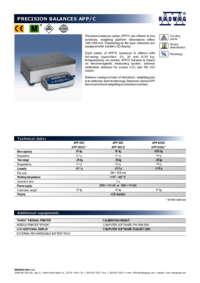
- 5 - 1. TECHNICAL DATA Balance with external adjustment system APP 10/2C/1 APP 25/2C/1 APP 30/2C/1 APP 35/2C/1 APP 6/35/2C/1 APP 50/2C/1 Balance w
- 50 - Pressing MODE key causes displaying the first of available modes. Each next pressing of or key causes displaying name of next available
- 51 - • in order to select one of the options, e.g. 20 pcs press ENTER/PRINT key and as the display indicates value “20” proceed as shown on bel
- 52 - • If option FrEE (sample quantity is declared by a user) is selected, insert sample quantity used for determining mass of single part, Pre
- 53 - Return to weighing CAUTION: While determining sample quantity, and before accepting it, it is necessary to wait until stable measurement
- 54 - 14.2. Checkweighing (HiLo) with reference to set standard • Enter the checkweighing mode, During setting limit values the following rela
- 55 - SET LOW LIMIT (LOW THRESHOLD) - digit selection; - set digit value; - accept inserted digit value SET HIGH LIMIT (HIGH THRESHO
- 56 - CAUTION: If by mistake the value of low threshold is set higher than high threshold, balance will indicate error message and return t
- 57 - 14.3. Percent setup with reference mass Balance software enables controlling deviation (in %) of weighed loads with determined reference ma
- 58 - From now on the display will not indicate mass of weighed load but deviation of mass placed on the pan in relation to the reference (in %).
- 59 - • Determine the value of reference mass, insert it to balance memory and accept it by pressing PRINT key – display will indicate: 0,00 %
- 6 - 2. BASIC INFORMATION 2.1. Intended use Precision balance APPC series is designed to determine the weighing value of loads in laboratory env
- 60 - 14.4. Density determination of solids and liquids The software enables determining density of solids (with determined dimensions) and liqui
- 61 - 14.4.1. Density determination of solids Procedure: • Press Mode key, then use navigating arrows to select submenu F6 d_Co, • Select one o
- 62 - • After selecting liquid type the balance displays command Load A and zero indication (if indication on balance’s display is other than zer
- 63 - • When the balance displays stability marker press Print/Enter key, • When the balance displays command Load L – load the sample on the b
- 64 - • The balance displays density measurement result expressed in [g/cm3]. CAUTION: Pay special attention to presence of air bubbles during m
- 65 - In order to weigh a sample again, press Units key: 14.4.2. Density determination of liquids Basic element for determining density of
- 66 - • After inserting sinker’s volume and storing the data in balance’s memory (using Print/Enter key), balance’s display indicates a command Lo
- 67 - • When the balance indicates stable measurement pictogram press Print/Enter key, • As the display indicates a command Load L – place the be
- 68 - To repeat inserting sinker’s volume procedure press F key: To return to weighing mode press Mode key, and then Zero/Tare key: In order
- 69 - 14.5. Totalizing Totalizing mode is basically adding the following components in order to prepare a mixture. After adding following componen
- 7 - 2.4. Monitoring metrological parameters of the instrument Metrological characteristics of the balance requires periodical inspection carried
- 70 -
- 71 - Return to weighing mode
- 72 - 14.6. Working mode FILL Working mode FiLL enables two settings: FiLL = NO – mode disabled, i.e. not available in the working modes. FiLL =
- 73 - 15. RS 232 FUNCTIONS P4 Print P4.1 bAud | 4800 P4.2 CntA | YES P4.3 CntB | YES P4.4 rEPl | YES P4.5 PStb | YES P4.
- 74 - Select required baud rate value - 2400 bit/s - 4800 bit/s - 9600 bit/s - 19200 bit/s. Go back to weighing mode with procedure of saving ch
- 75 - 15.2.2. Continuous transmission – in current measuring unit no – continuous transmission disabled YES – continuous transmission en
- 76 - 15.3. Setting operation mode for RS 232 interface no - manual operation (enabled on pressing PRINT key) YES - automatic operation (ena
- 77 - 15.4. Determination of data type sent through RS 232 output no - sending stable or instantaneous (unstable) measuring result YES - sen
- 78 - 15.5. Minimal mass required for activation of automatic printout Balance software is equipped with a function for setting automatic operati
- 79 - 16. COOPERATION WITH A PRINTER OR A COMPUTER CAUTION A peripheral device that is connected to RS 3232 output of a balance, has to be powered
- 8 - 4. UNPACKING, ASSEMBLING AND STARTUP 4.1. Assembling and place of use • Balance should be stored and used in locations free of vibrations a
- 80 - 16.1. Cross-section through connecting conductors BALANCE COMPUTER 2 (RxD) 3 (TxD) 3 (TxD) 2 (RxD) 4 (DTR) 6 (DSR) 5 (GND) 5 (GND) 6 (DS
- 81 - 16.2. Printing date with specified date and time Every weighing result can be printed with specification of measurement date and time. The
- 82 - 16.4.1. Format of data sent on pressing of PRINT key Depending on setting of P4.5 PStb parameter only stable measurement or instantaneous ma
- 83 - 1 – 3 4 5 6 7 8 – 16 17 18 - 20 21 22 command space stability marker space sign mass space unit CR LF Command – 1 ÷ 3 characters stabilit
- 84 - 18. LIST OF COMMANDS COMPUTER – BALANCE • Function TARE Command T CR LF (balance tarring) • Function ZERO Command Z CR LF (balance z
- 85 - 19. ERROR MESSAGES Er1 Hi – mass out of range on balance start and adjustment Er2 nuLL – value from AD converter ≤ 0 (A/D ≤ 0) Er3 Fu
- 86 - 20. ADDITIONAL EQUIPMENT 20.1. Anti-Vibration table It is a very stable basis which eliminates all kinds of vibration and ground shakes.
- 87 - MANUFACTURER OF ELECTRONIC WEIGHING INSTRUMENTS RADWAG WAGI ELEKTRONICZNE 26-600 Radom 28 Bracka POLAND phone +48 48 38 48 800
- 9 - • Remove the weighing pan from balance’s housing and remove the transport protections, as shown on above figure. • After unpacking, unscrew
Další dokumenty pro Kuchyňské váhy RADWAG APP Series
Související produkty a manuály pro Kuchyňské váhy RADWAG APP Series
 (176 stránky)
(90 stránky)
(70 stránky)
(58 stránky)
(12 stránky)
(51 stránky)
(66 stránky)
(85 stránky)
(119 stránky)
(65 stránky)
(60 stránky)
(32 stránky)
(68 stránky)
(86 stránky)
(49 stránky)
(47 stránky)
(176 stránky)
(90 stránky)
(70 stránky)
(58 stránky)
(12 stránky)
(51 stránky)
(66 stránky)
(85 stránky)
(119 stránky)
(65 stránky)
(60 stránky)
(32 stránky)
(68 stránky)
(86 stránky)
(49 stránky)
(47 stránky)
© 2020, manymanuals.cz. Všechna práva vyhrazena. | 0.044 s |
 Manymanuals.com
 Manymanuals.de
 Manymanuals.fr
 Manymanuals.it
 Manymanuals.pl
 Manymanuals.cz
 Manymanuals.es
 Manymanuals-pt.com
Komentáře k této Příručce